 Nail
NailEverything between the first photo and the final invoice.
Every screen below is the real NailLedger app, running real jobs. Four steps, one workflow — here's each one up close.
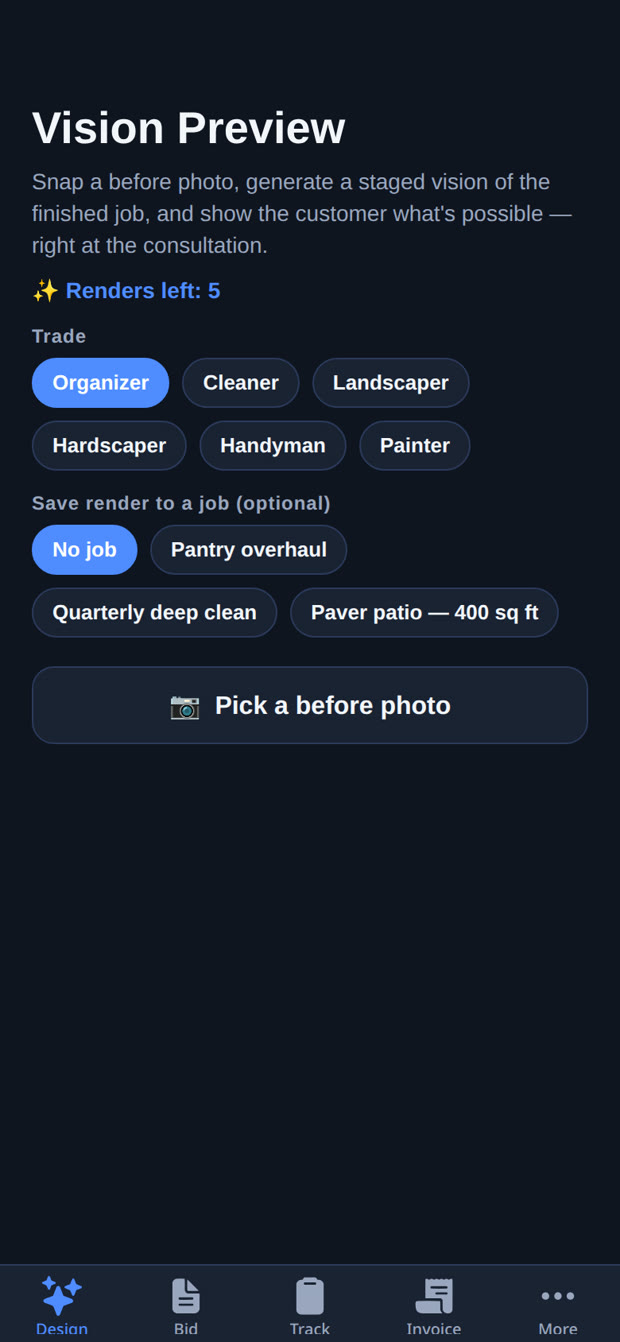
Vision Preview — sell the finished job
At the consultation, snap a before photo and generate a staged render of the finished job. The customer stops imagining and starts approving. Renders can be saved straight to the job they belong to.
- Real AI renders of the actual space — not stock photos
- Every trade supported — organizing, cleaning, landscaping, hardscaping, handyman, painting
- First 5 renders on the house, then packs of 20 for $5

 BEFORE
VISION PREVIEW
BEFORE
VISION PREVIEW
Drag the handle — a real Vision Preview render next to the screen that made it.
Bids that make you look like the pro you are
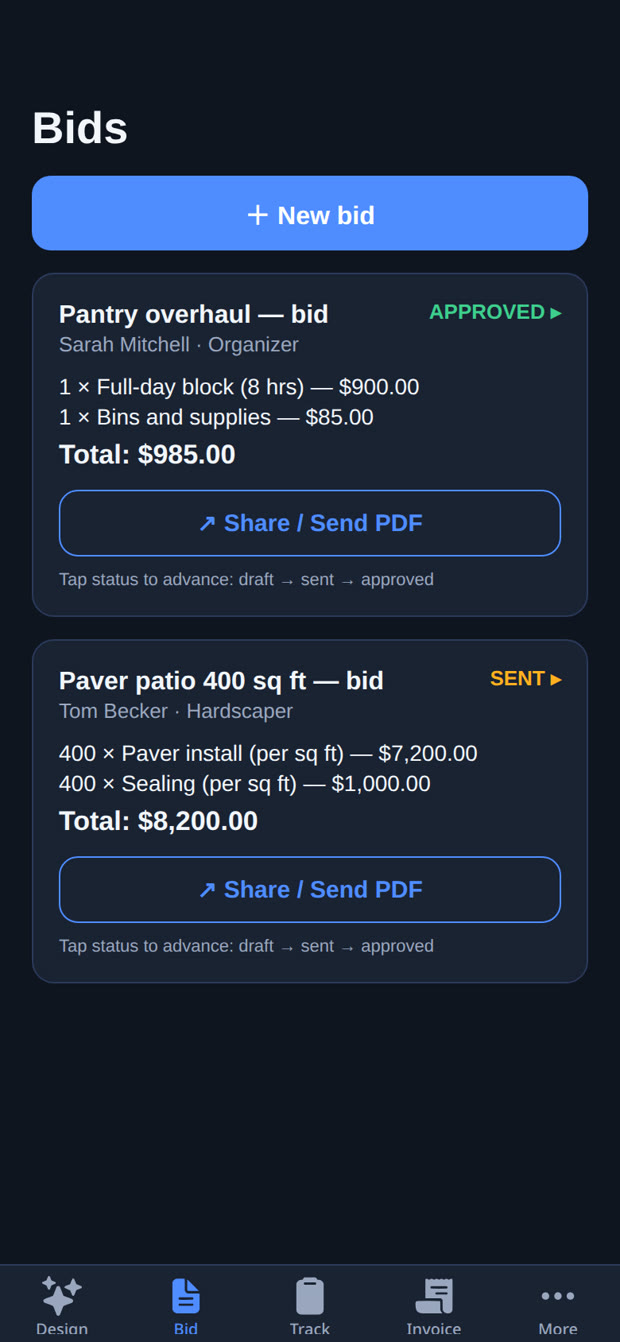
Build line-item bids from templates tailored to your trade — quantities, unit prices, totals done for you. Track each bid from draft to sent to approved, and send it as a polished PDF your customer can sign off on.
- Line items & totals calculated automatically
- Sendable PDF bids with your business profile on them
- Status at a glance — draft, sent, approved
Every job, on track, in your pocket
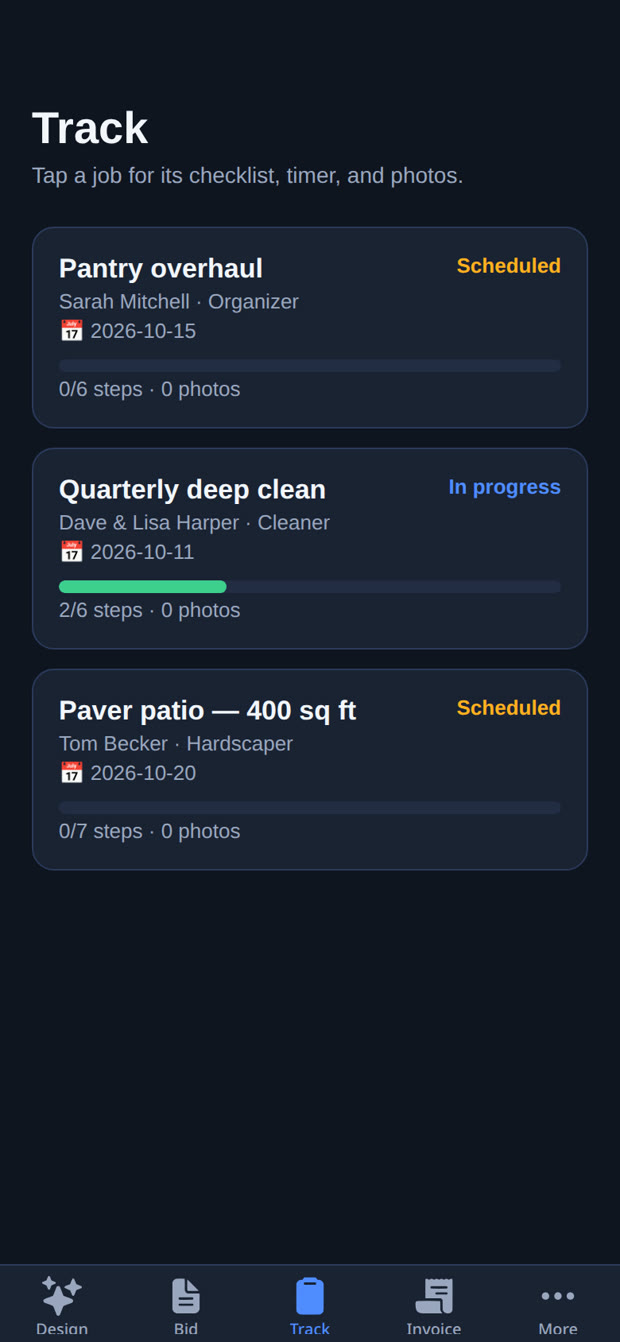
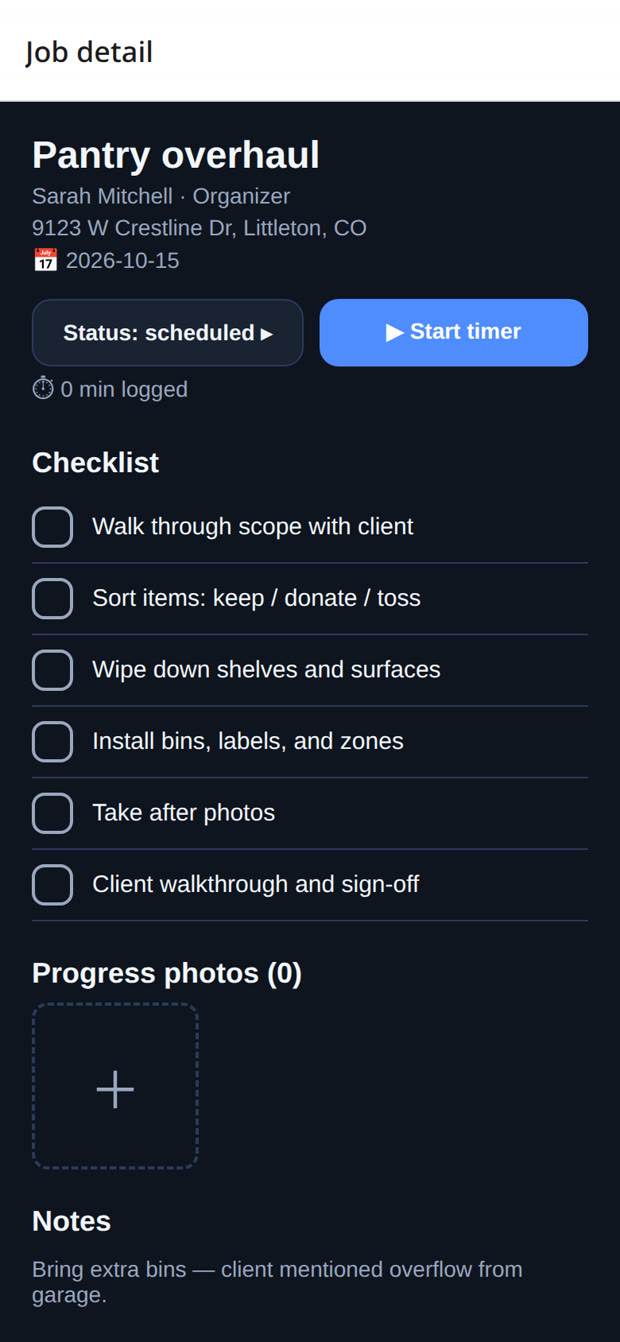
Each job carries its own checklist — tailored to the trade — plus a work timer, progress photos, and notes. Open the Track tab and see what's scheduled, what's in progress, and what's done, across every client.
- Trade-specific checklists so nothing gets missed
- Built-in timer logs hours against the job
- Progress photos & notes attached to every job
Inside a job
Tap any job for the full picture: client, address, schedule, checklist progress, timer, photos, and notes — everything the crew needs, nothing they don't.
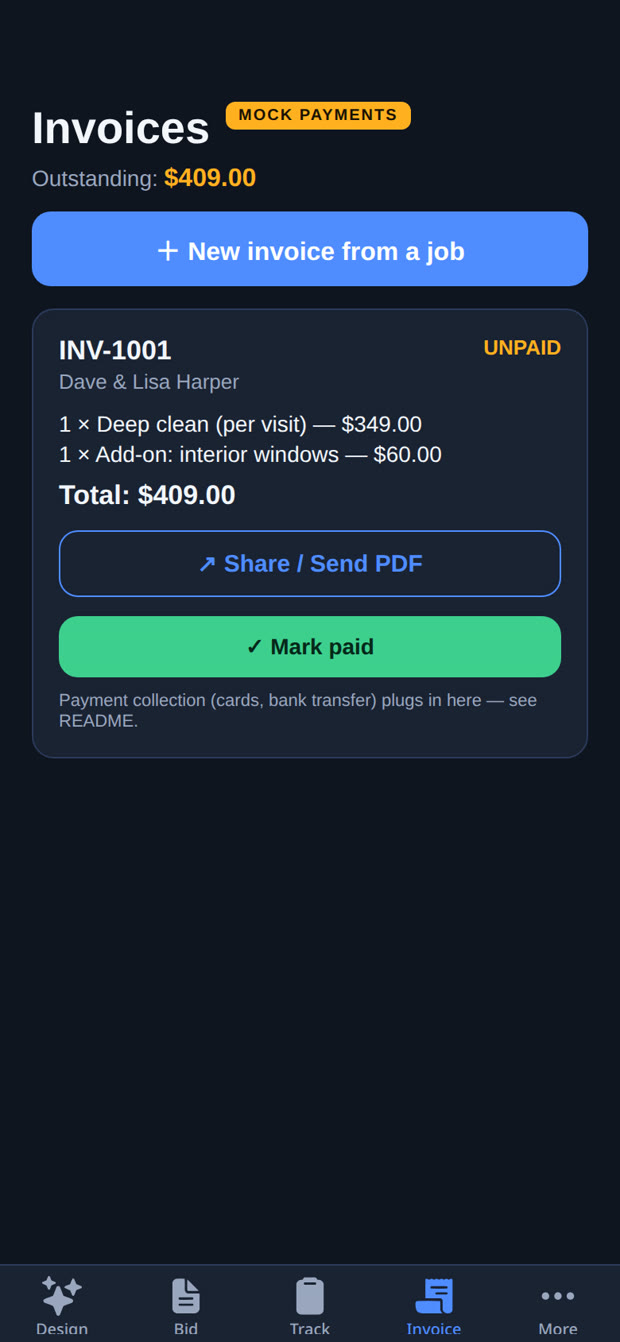
Invoice in one tap. Get paid.
Turn a finished job into an invoice without re-typing a thing. Send it as a professional PDF, see exactly what's outstanding at a glance, and mark it paid when the money lands.
- One-tap invoices created from the job
- Sendable PDF invoices with your business details
- Outstanding balance always in view — no chasing spreadsheets
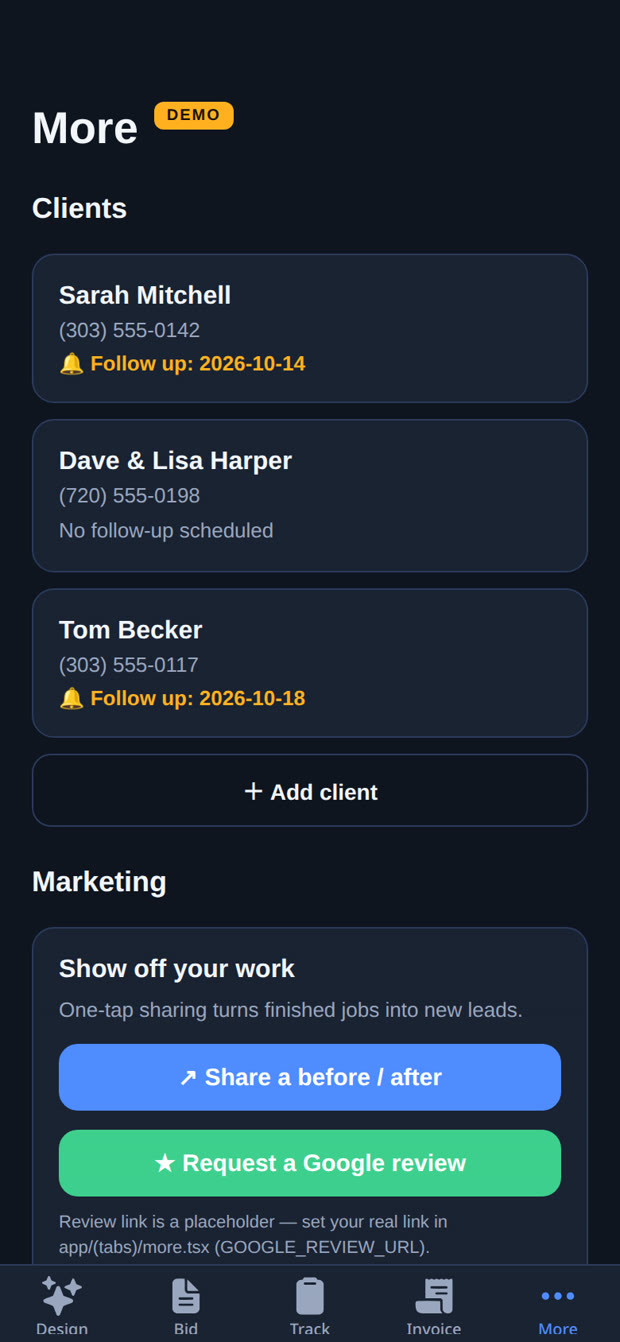
Reviews & sharing, built in
Finished jobs are your best advertising. NailLedger keeps your client list close, prompts follow-ups, and turns completed work into new leads with one-tap before/after sharing and Google review requests.
- Client book with follow-up reminders
- One-tap before/after sharing to your socials
- Google review requests sent right from the job
See it on your own jobs.
Join the waitlist for launch access — and first shot at the 50 founding lifetime spots.
Join the Waitlist